
The spreadsheet shuffle
Three files open. Nobody knows which is current.
Your event took months to organise. Checking people in shouldn’t. Upload your list, email QR tickets, and scan guests in using a phone.
The familiar bit
Speakers ready. Room set. Coffee brewing. And somehow, 200 people are all at the door at once.
Three files open. Nobody knows which is current.
A queue, a typo, and six ways to spell a surname.
Did someone already let them in? Hard to tell.
You registered 250 people. Who actually arrived?
The short version
Your registrations stay where they are. Scan In picks up at the door, with one straightforward flow from list to arrival.
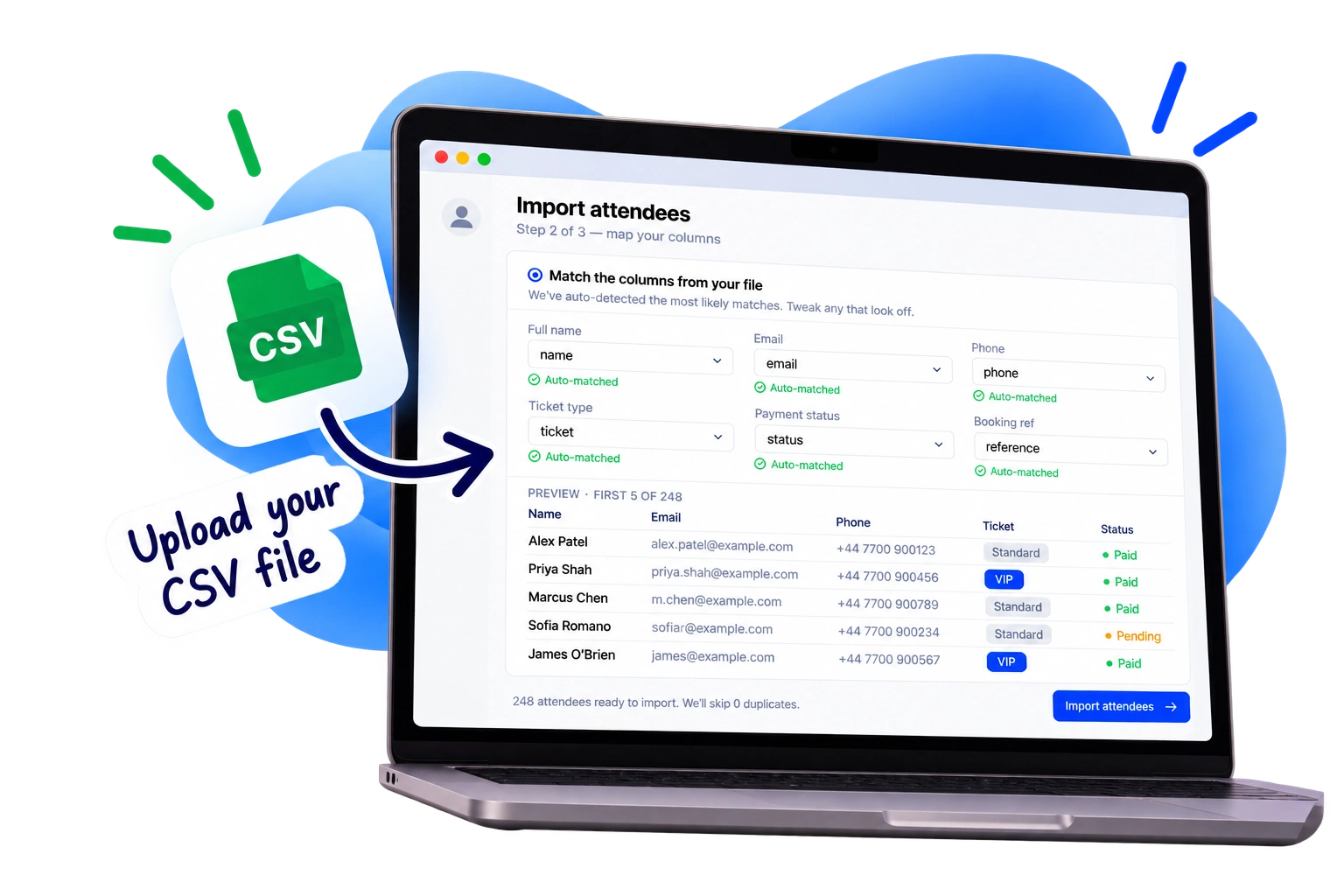
Upload a CSV from your registration tool, match the columns, and get your attendees ready. No migration project. No starting over.
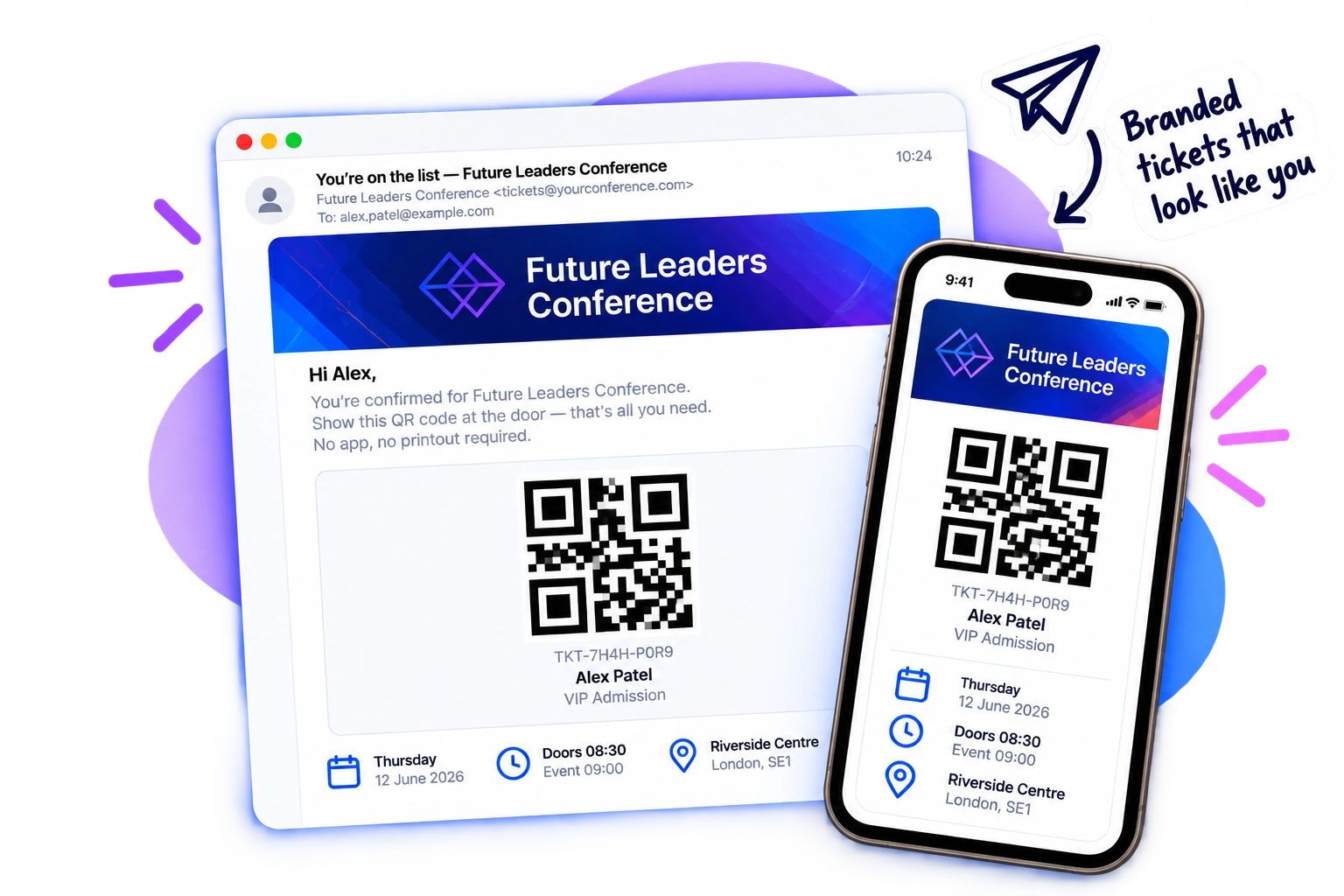
Each attendee gets their own QR ticket by email. Add your event logo and sender details so it looks like it belongs to your event.
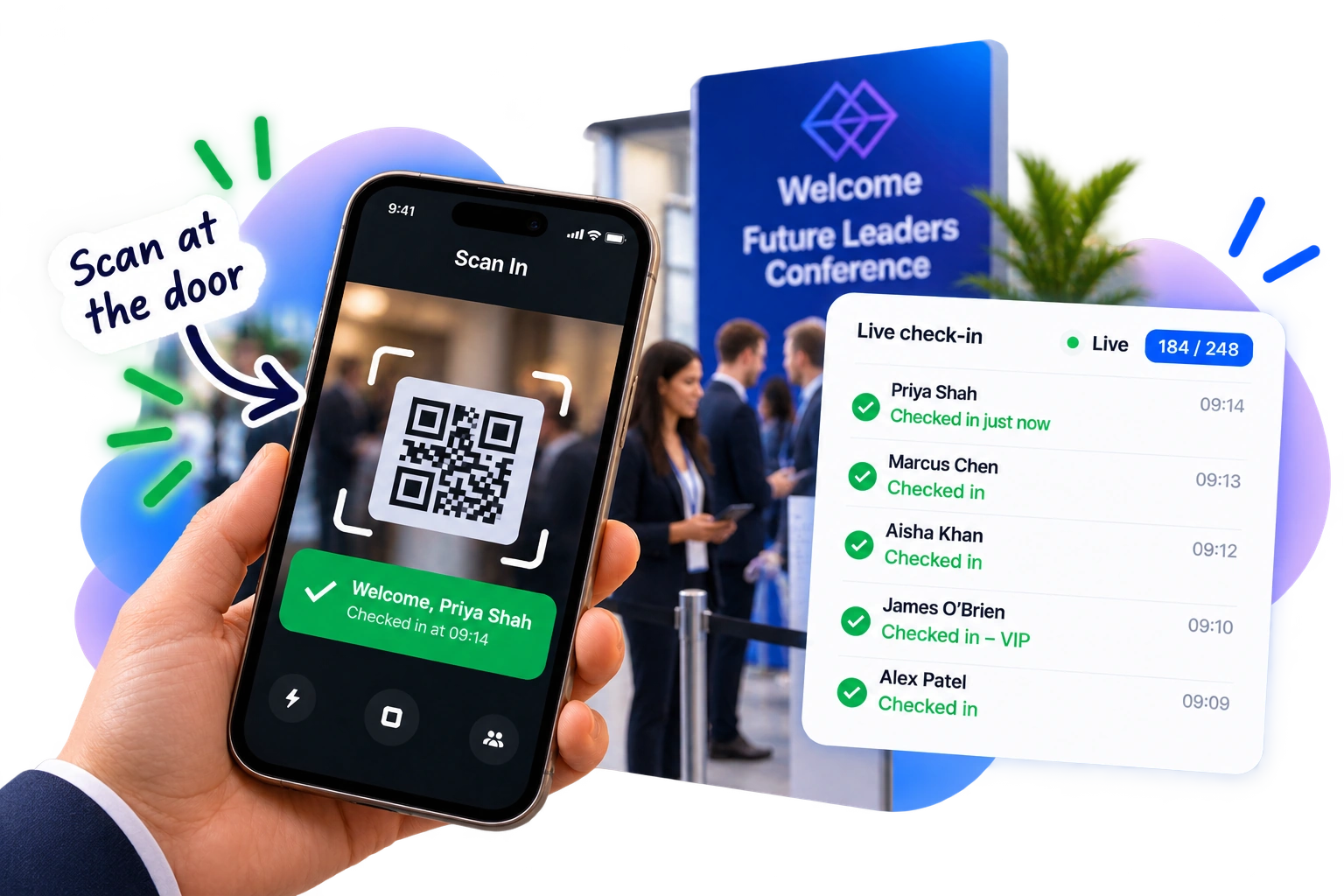
Open the browser-based scanner on a phone and point it at the ticket. Your team can see who’s arrived and spot a repeat scan straight away.
Made for the arrival moment
From a 30-person workshop to a packed conference foyer, the job is the same: get the right people in without holding everyone else up.
Keep delegate arrivals moving while the first session is about to start.
Know who made it into the room, without passing a clipboard around.
Spend less time spelling surnames and more time making introductions.
Give staff and volunteers a clear, simple way to welcome people.
Useful, not overbuilt
The goal isn’t another complicated event platform. It’s a calm, clear way to welcome your guests.
Scan from a secure browser-based scanner. No specialist hardware or staff app download.
Free includes one scanner. Starter and above support multiple scanners across entrances.
Built to handle brief network drops, with pending check-ins syncing when you’re back online.
See check-ins on your event dashboard. CSV exports are available on Starter and above.
A small but important distinction
Already collecting registrations somewhere else? Great. Keep using it. Scan In doesn’t replace your forms, ticket sales or event website. Upload the attendee information you already have, send QR tickets, and run check-in without starting again.
One event at a time
Pick the guest count that fits. Pay once for the event you’re running, not a subscription you’ll forget to cancel.
Up to 50 guests
One scanner
Up to 250 guests
Multiple scanners + CSV export
Up to 1,000 guests
Team accounts + reports
Unlimited guests
Support for bigger events
Free includes QR ticket emails and one scanner. Multi-scanner access and CSV export start on Starter.
Compare all plansNo. Scan In doesn’t sell tickets or collect registrations. Keep using your existing registration or ticketing system, then upload your attendee list for check-in.
Yes. Export the list as a CSV, upload it, then match the columns to attendee fields during import.
Guests receive their QR tickets by email. Staff scan tickets using Scan In in a phone browser; no dedicated scanner hardware or app download is required.
Yes, on Starter and above. The Free plan includes one scanner; paid plans support multiple scanners for your team.
On Starter and above, Scan In supports check-in through brief network drops. Pending check-ins sync when connectivity returns. It’s a fallback for interruptions, not a promise of full offline operation all day.
CSV export is included on Starter and above. The Free plan includes the live event dashboard and one scanner for up to 50 guests.
It’s one payment per event: Free for up to 50 guests, Starter £9 for up to 250, Pro £19 for up to 1,000, or Scale £39 for unlimited guests. No monthly subscription.
Ready when you are
You’ve got enough to organise. Upload your list, send QR tickets, and welcome your guests.
SCAN IN — NOT EVENT SOFTWARE. JUST CHECK-IN.